


Genloop: AI Video Generator
1.83.00 Reviews
App Specs
- Version
- 1.0.1
- Updated On
- License
- Free
- Downloads
- 50,000+
- Developer
- Developer of Vegas
- Categories
- Lifestyle
- Platform
- Android
Screenshots
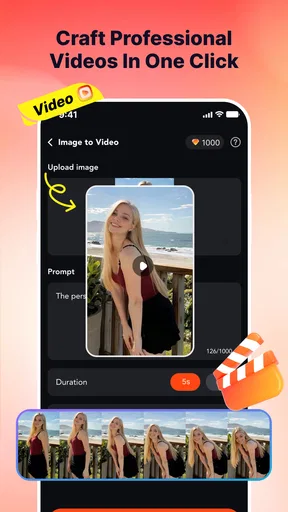
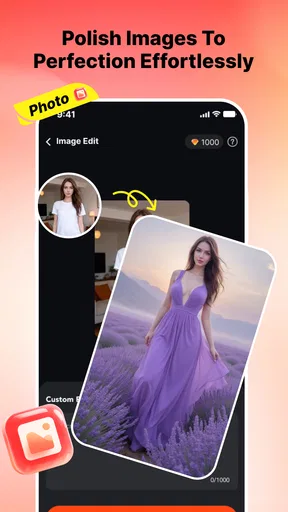
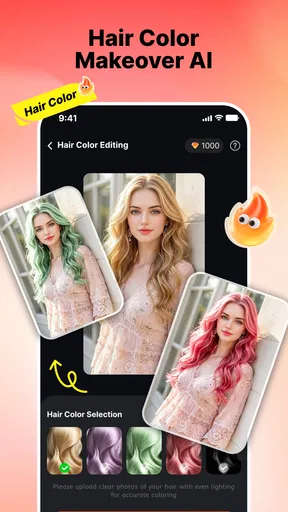
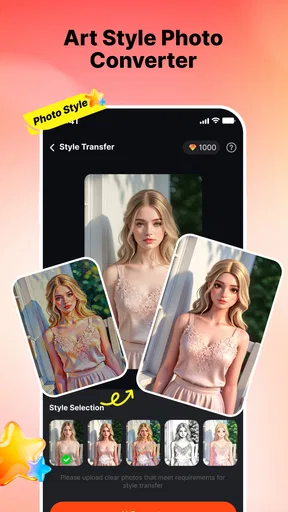
 Analysis by AppCompare
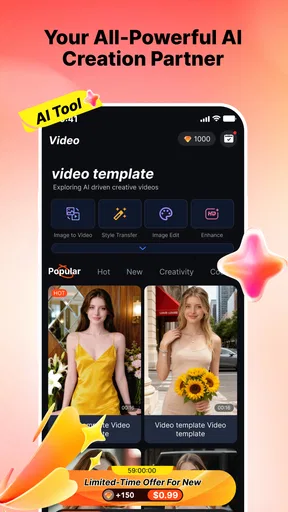
I approached Genloop: AI Video Generator as a quick creative tool rather than a full video editor. Its purpose is straightforward: turn photos, portraits, selfies, and artwork into AI-generated videos. That makes it interesting for anyone who wants movement and atmosphere without learning a traditional timeline editor, but my experience also left me with a fairly cautious impression. The app feels like an early product that can be fun in the right situation, yet it still needs patience and realistic expectations.
Genloop sits in the lifestyle side of mobile apps, where the goal is often personal expression rather than professional production. I can imagine using it for a playful profile clip, a short birthday greeting, a visual experiment with an illustration, or a private animation of an old photograph. It is free to install, although purchases inside the app range from $1.99 to $99.99 per item. That difference matters: trying the app costs nothing upfront, but regular use may become less casual if you need paid access for more ambitious creations.
How Genloop feels in everyday use
I find it helpful to think about Genloop as a shared creative activity, not a shared account or a family editing hub. If we’re making a birthday greeting together, I’d agree on one suitable image first, then let each person suggest what kind of mood the clip should have. That small bit of coordination keeps the experiment focused and makes it easier to decide whether the finished animation is something everyone is comfortable sharing.
A simple idea with a very specific audience
The strongest part of the concept is its narrow focus. Instead of asking me to arrange clips, trim audio, add transitions, and manage layers, Genloop starts with an image and aims to produce something that feels alive. That is a useful distinction. If I already have a good portrait or a finished piece of artwork, I do not necessarily want a complete editing suite. I may only want a short result that gives the image motion and makes it more suitable for sharing.
That workflow is particularly appealing to people who are uncomfortable with conventional editing apps. A beginner can think in terms of choosing an image and exploring a visual result, rather than understanding a timeline. It also suits users who create from still material: digital artists, casual photographers, social-media users, and anyone who keeps a folder of favorite selfies but rarely turns them into videos.
At the same time, the simplicity can become a limitation. An image-to-video application cannot replace the control I get from a normal editor. If I need exact timing, several scenes, carefully synchronized music, captions, or a predictable camera move, I would choose a traditional video app instead. Genloop is more useful when surprise and speed are part of the appeal.
A realistic scenario: making a personal greeting
Imagine I want to send a short birthday message to a friend. I could select a clear portrait, create a moving visual from it, and then use the result as the visual base for a message. The practical advantage is that the image does not remain a static attachment. It becomes a small piece of content with more personality, even if I do not have filming equipment or editing experience.
Worth Reading Before You Choose

Flipboard Shows What News Apps Must Do Beyond the Feed

Switching to Android Auto Means Rethinking Your Driving Routine

Google Calendar Makes a Crowded Week Easier to Manage

Ludo King Makes the Most of the Minutes Between Plans

Baby Panda World Brings Quick Play to Modern Phones, but Its Game Library Feels Busy

ESPN’s Live Game View Makes Following Close Games Easier
My advice in that situation would be to choose a well-lit image with one obvious subject. A busy group photo, a face partly hidden by hair, or artwork with many tiny details gives an AI generator more visual ambiguity to handle. A clean composition also makes it easier to judge whether the generated movement looks intentional or merely unusual. I would keep the original image untouched and treat each generated result as an experiment, not as a replacement for the source.
There is another useful workflow here: create several versions with different source images, then use only the strongest result in a separate editor. That avoids forcing Genloop to handle the entire project. It also gives me a way to add text, music, or a final cut elsewhere, where those controls are usually more reliable. In other words, Genloop works best as a creative first step rather than the only app in a complete publishing process.
Portraits, selfies, and artwork do not behave the same way
Portraits and selfies are likely to be the easiest starting point because the subject is clear and the visual goal is obvious. Still, I would not assume that every face will produce a convincing result. Small changes in expression, hair, glasses, hands, or background details can make an animation feel artificial. The more important the person is to me, the more carefully I would review the result before sharing it.
Artwork offers a different kind of opportunity. A finished illustration can become a moving presentation piece, especially when the original composition already suggests depth or atmosphere. But artwork can also expose odd transformations more clearly than a casual selfie. Straight lines, lettering, repeated patterns, and delicate details are areas where a generated video may look less dependable. For artists, I would use Genloop to explore motion ideas, not to assume that the first output is ready for a portfolio.
A non-obvious benefit of working with artwork is that the app can help me test whether a still concept has visual energy. If a drawing feels flat when animated, that may reveal something about the composition itself. The result is not only a finished clip; it can be a quick way to explore how an image might behave as a moving scene. That makes the app more interesting for experimentation than for strict reproduction.
What the current release tells me
The current version is 1.0.1, and the app was released on June 1, 2026. I read that combination as a sign of a very early stage: there has been at least a small update beyond the initial release, but the product is still young. I would not expect the same maturity, polish, or breadth that I associate with long-established video editors.
The version number is relevant for existing users because a small update can matter more in a new creative app than in a familiar utility. Early releases often define the basic workflow, and even minor refinements can affect how comfortable it feels to choose images, generate results, and decide what to keep. I would update before judging the experience, especially if an older installation behaves inconsistently.
That does not mean I would treat the update as proof of a major transformation. The available release information establishes the current version and release point, not a complete history of feature changes. My expectation would therefore be modest: use the present build as it is, and watch future updates for clearer workflow improvements rather than assuming that every revision will add professional editing controls.
Compatibility and the practical cost of experimenting
Genloop supports Android 7.0 and later, which makes it accessible to a broad range of Android devices. Compatibility alone does not guarantee an equally smooth experience everywhere, though. AI video creation can be more demanding than viewing a static image, so I would pay attention to how my particular phone handles generation, storage, and repeated attempts.
Because the app is free to install, I can test the basic experience without committing money at the start. The important question is what happens when I want to create more often or explore more options. In-app purchases are listed per item, from $1.99 to $99.99. That is a wide range, so I would check the purchase screen carefully before confirming anything and decide whether the result is worth the specific cost for my use case.
This is where Genloop differs from a conventional editor. A standard editor may give me predictable tools after installation, while an AI generator can make each attempt feel more like a creative service. The benefit is novelty; the trade-off is that I may spend more time trying variations before finding one I like. For occasional personal experiments, that may be acceptable. For frequent content production, I would compare the total cost and consistency with other tools before building a routine around it.
Where the app fits beside familiar alternatives
Compared with a normal mobile video editor, Genloop is less about assembling material and more about transforming a single visual source. A traditional editor is the better choice when I already have recorded footage or need control over every cut. It offers a clearer path for tutorials, product demonstrations, travel recaps, and anything that depends on a precise sequence.
Compared with slideshow makers, Genloop has a more imaginative starting point. A slideshow usually preserves the still image and adds timing or transitions. Here, the attraction is the possibility of making the image itself feel animated. That can create a stronger first impression, but it also introduces more uncertainty. A slideshow is easier to predict, while an AI-generated clip may be more distinctive but less faithful to the source.
Compared with social-media creation tools, Genloop appears better suited to generating a visual ingredient than finishing a post. Social platforms tend to be stronger for captions, music, publishing formats, and quick sharing. I would use Genloop when the still image needs a creative transformation, then move the result into another tool if I need a polished, platform-specific presentation.
Three habits that make the results more useful
First, I would prepare the source image before opening the app. Cropping away distractions, choosing a clear subject, and avoiding unnecessary background clutter can make the experiment easier to evaluate. This is not glamorous advice, but it saves time: when the source is visually confused, it becomes difficult to tell whether the generated motion is the problem.
Second, I would keep a small set of original images specifically for testing. One portrait, one artwork sample, and one simple scene can reveal how well the app suits my personal material. That is more informative than judging it from a single lucky result. It also prevents me from repeatedly using an important family photo while I am still learning what kinds of images behave well.
Third, I would separate creation from sharing. I would review the entire clip, check faces and fine details, and consider whether the movement still represents the person or artwork respectfully. A result that looks amusing in private may feel uncomfortable when posted publicly. This extra pause is especially important because the app carries a Mature 17+ content rating, so it is not something I would casually hand to a child or treat as a general family app.
Privacy, consent, and responsible use
Any tool built around portraits and selfies deserves a thoughtful approach to consent. I would only use images I own or have permission to transform, particularly when another person is recognizable. The ability to animate a face can make a harmless experiment feel more personal than a normal filter, and sharing an unexpected result may affect someone differently than I intend.
I would also avoid treating generated movement as evidence of a real event. If I animate a photograph, the result is a creative interpretation, not a recording of what happened. That distinction matters when using family images, historical pictures, or artwork made by someone else. Genloop is most comfortable in clearly creative contexts where viewers understand that the motion has been generated.
Who should try it, and who should skip it
I would recommend trying Genloop if you enjoy visual experiments, have a collection of portraits or artwork, and want a low-effort way to explore animation. It may also suit someone who finds full editing applications intimidating. The free entry point makes it reasonable to test, provided I remain careful around optional purchases and do not expect every image to produce a polished result.
I would skip it if my priority is dependable professional output, detailed editing control, or a transparent fixed workflow. A filmmaker, business owner preparing repeatable promotional clips, or creator who needs exact brand consistency will probably be better served by a conventional editor or a more established specialized tool. The same applies if I dislike trial and error; AI generation is inherently less predictable than placing a clip on a timeline.
The rating of 1.8 from around fifty ratings gives me another reason to approach it carefully rather than assuming universal satisfaction. That average does not explain every individual experience, but it does suggest that I should test the app personally before spending on larger purchases. With over fifty thousand installs, it has attracted meaningful early interest, yet popularity by itself does not resolve questions about reliability or value.
What I would watch in future updates
For me, the most important signs of progress would be a smoother path from source image to usable video, clearer control over the kind of motion being created, and better support for turning an experiment into a finished post. I would also look for improvements that help users understand what they are paying for before they generate repeatedly. Those changes would make the app easier to recommend beyond occasional novelty.
I would not judge future development only by a longer feature list. The real test is whether the results become more consistent across portraits, selfies, and artwork, and whether the app helps me reject weak outputs quickly. A creative tool can remain simple while becoming much better if it improves selection, previewing, and decision-making.
For now, my view is mixed but fair. Genloop is an intriguing lifestyle app for turning still images into playful AI video experiments, and its focused idea is easier to understand than a crowded editor full of unrelated tools. The early version, broad purchase range, modest average rating, and unpredictable nature of generated visuals mean I would use it selectively. If you treat it as a creative sketchbook rather than a complete video studio, Genloop has a sensible place on your phone.
My final recommendation is to start with a non-essential image, test the workflow on your own Android device, and judge the results before buying anything. If the app gives your portraits or artwork the kind of movement you actually want, it can become a handy source of ideas and short visual messages. If you need control, consistency, or a finished production pipeline, I would keep a regular video editor as the main tool and let Genloop serve only as an experimental companion.
Pros
- Creates short AI videos from simple text prompts.
- Offers a range of visual styles for different creative projects.
- Useful for generating social media content quickly.
- Reduces the need for advanced video-editing skills.
- Simple interface makes experimenting with ideas easy.
Cons
- AI results can vary noticeably between different prompts.
- Some videos may contain visual glitches or awkward motion.
- Higher-quality exports may require a paid subscription.
- Generation time can increase during busy periods.
- Limited control over precise scenes
- characters
- and camera movement.
FAQs for Genloop: AI Video Generator
What is Genloop: AI Video Generator, and what can it create?
Genloop: AI Video Generator is an AI-powered mobile app designed to help users create short videos from text prompts, images, or other creative inputs. Depending on the available tools and version, it may generate animated scenes, social media clips, visual effects, and stylized content. It is mainly aimed at creators who want to experiment with video ideas without using complex professional editing software.
Is Genloop: AI Video Generator free to download and use?
The app may be free to download, but some generation tools, premium styles, higher-quality exports, faster processing, or additional credits can require in-app purchases or a subscription. Before creating multiple videos, check the pricing page and subscription terms carefully. AI video generation can also consume credits, so the free allowance may be limited and may vary by account, region, or app version.
Do I need an internet connection to use Genloop?
Yes, an active internet connection is generally required because the video-generation process is handled through online AI servers rather than entirely on the phone. A stable Wi-Fi or mobile-data connection helps prevent failed uploads and interrupted generations. Processing time can also depend on server demand, video length, resolution, and the complexity of the prompt, so results may not appear instantly.
Can videos made with Genloop be used for commercial or social media purposes?
You should review Genloop’s current terms of service and the license attached to each generated video before using content commercially. AI-generated results may be suitable for personal projects, social posts, presentations, or marketing experiments, but ownership and commercial rights can depend on your subscription, input materials, and the app’s policies. Avoid uploading copyrighted images, logos, music, or identifiable people without the necessary permission.
Is Genloop suitable for beginners, and what should I know before downloading it?
Genloop is intended to make AI video creation approachable, so beginners can usually start by entering a simple prompt or selecting an existing template. However, the quality of the final result depends heavily on how clearly the prompt is written, and some outputs may contain visual inconsistencies or require several attempts. Users should also check device compatibility, storage requirements, privacy permissions, export limits, and subscription details before installing.


